homeoffice.lu

The app · free

Your 34 days under control – with one tap in the evening.

The app counts every working day outside Luxembourg, asks you a quick question in the evening and prepares the annual statement for your records. Here is what it does and how to use it.

Free · no account · no ads · your data stays on your phone

iPhoneVery soon on the App StoreVery soonAndroidVery soon on Google PlayVery soon

The app is coming very soon for iPhone and Android. Free, no account.

Ready in three steps

  1. 1

    Set up

    Choose your country of residence, contract hours and working days per year. If you have already logged days in “Mon compteur” on this website, the app imports them on first launch.

  2. 2

    Answer in the evening

    On working days without an entry, the app asks at 7 pm: where did you work today? Press and hold, tap, done.

  3. 3

    Keep records

    Under “Records” you can create the annual statement as a PDF at any time, with your name and signature.

All features in detail

At a glance: how many days you have left

01 Today

At a glance: how many days you have left

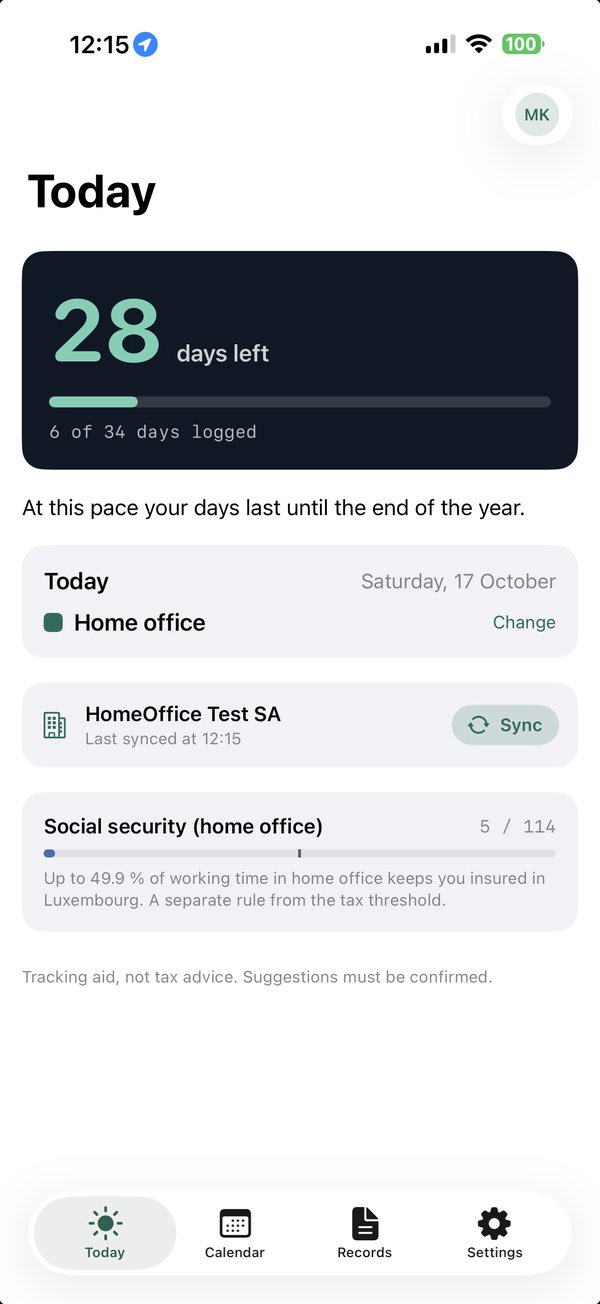
The home screen shows where you stand for the current year.

  • The big number: days left until your personal threshold (34 days, pro rata for part-time).
  • A forecast: will your current pace last until the end of the year, or when does it get tight?
  • Social security separately: up to 49.9 % of working time in home office keeps you insured in Luxembourg.
  • Today with its entry type – “Change” corrects it with one tap.
One question in the evening instead of scattered notes

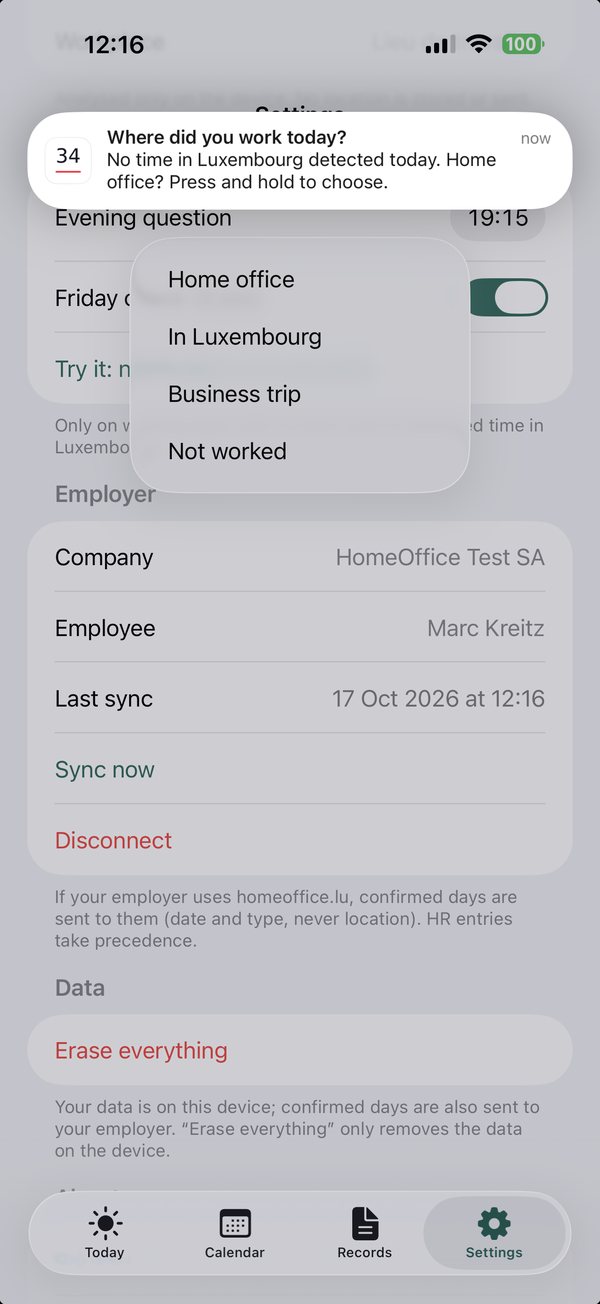
02 Evening question

One question in the evening instead of scattered notes

The app only reminds you when something is actually missing.

  • At 7 pm (time adjustable) on working days without an entry – weekends and Luxembourg public holidays are skipped.
  • Press and hold the notification: Home office, In Luxembourg, Business trip or Not worked. No need to open the app.
  • Optionally with location: if you were at your workplace or in Luxembourg, the question is skipped. Analysed on the phone only, no location is stored or sent.
  • On Fridays at 5 pm a short weekly summary, plus an alert when only 5 days are left.
The whole year, every day in colour

03 Calendar

The whole year, every day in colour

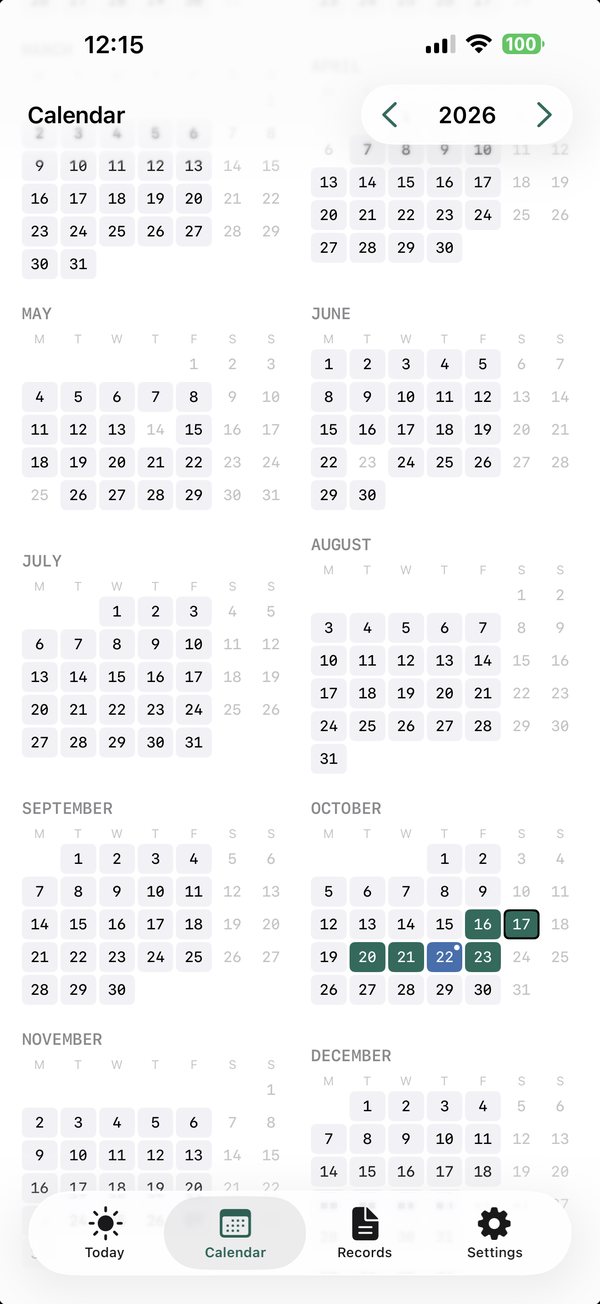
Use the calendar to add or correct days.

  • Tap a day and choose: Home office, Business trip, Training, Other abroad, In Luxembourg or Not worked.
  • The colours show at once where days pile up; weekends and public holidays are greyed out.
  • The arrows at the top switch the year – the previous year stays available.
  • If the app is linked to your employer, you also see the entries made by HR.
The annual statement for your files

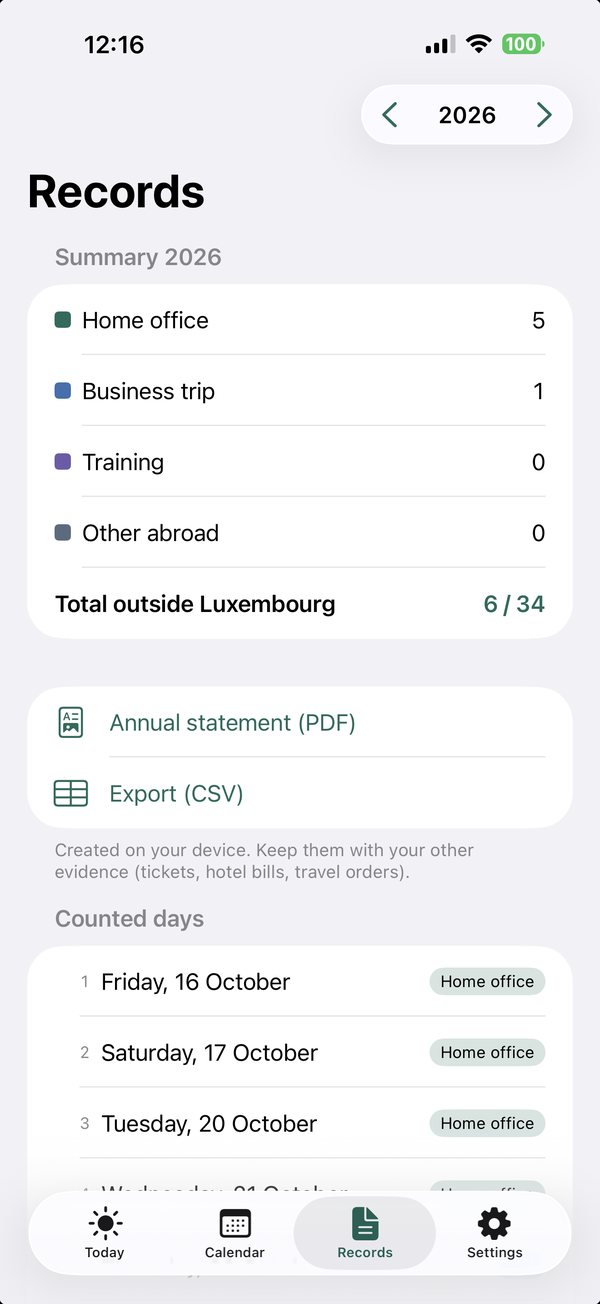
04 Records

The annual statement for your files

What counts, in black and white.

  • Summary by type: home office, business trip, training, other – and the total outside Luxembourg.
  • Annual statement as a PDF with your name and, if you wish, your signature – view, sign and share it right in the app.
  • CSV export for Excel or your tax adviser.
  • List of all counted days with their date. Keep your evidence with it: tickets, hotel bills, travel orders.
Your counter on the home screen

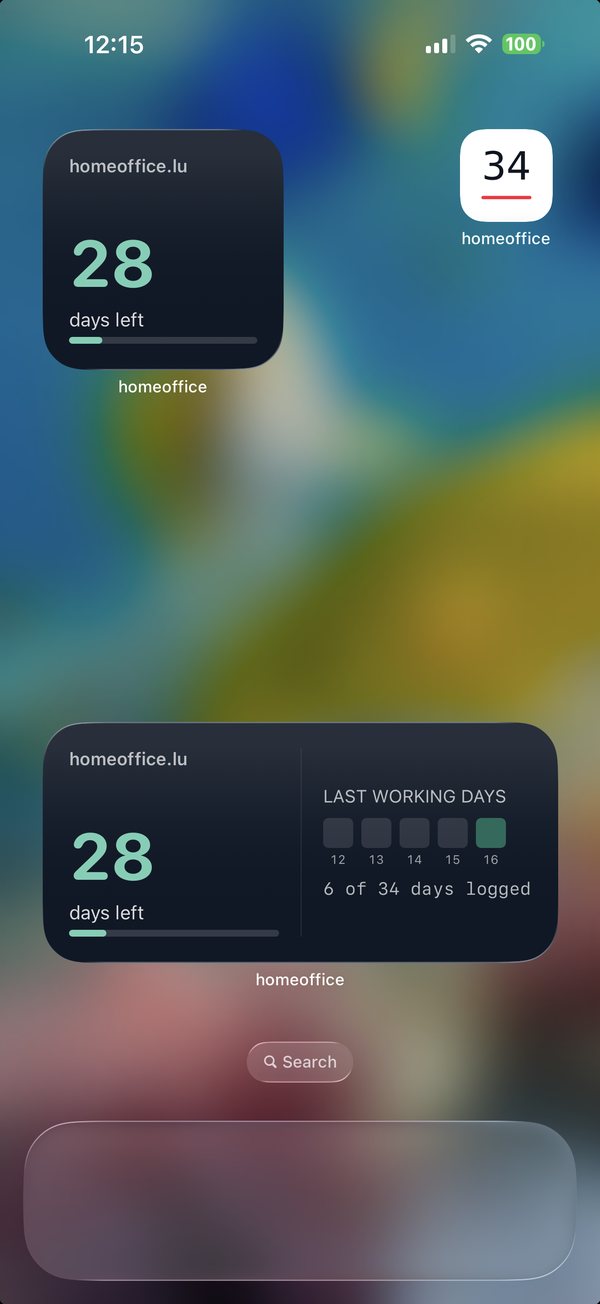
05 Widget

Your counter on the home screen

Without opening the app.

  • Small: days left with a progress bar.
  • Medium: also the last five working days and how many days are logged.
  • Also available for the lock screen.
  • To add: press and hold the home screen, choose + or “Widgets”, then search for “homeoffice.lu”.
Link to your company – if it uses homeoffice.lu

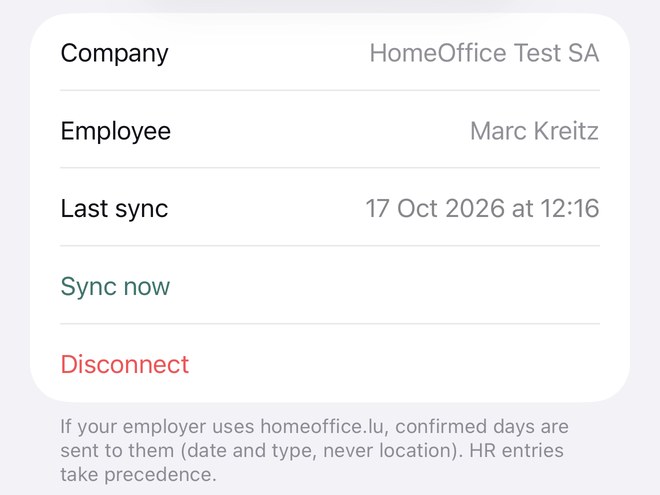
06 Employer

Link to your company – if it uses homeoffice.lu

Optional. Without a link, everything stays on your phone.

  • Your HR department gives you a personal link or QR code. In the app: Settings › Connect to my employer.
  • Confirmed days are sent to the company: only date and type, never a location.
  • HR entries take precedence; if something differs, the app tells you.
  • “Sync” fetches the latest state, “Disconnect” stops the transfer at any time.

Your data belongs to you

  • No account, no sign-up, no ads, no analytics.
  • All days are stored on your phone.
  • Location is analysed on the device only – never stored, never sent.
  • “Erase everything” in the settings removes all data from the device.

App privacy policy →

iPhoneVery soon on the App StoreVery soonAndroidVery soon on Google PlayVery soon

Prefer not to use the app?

“Mon compteur” on this website gives you the annual calendar right in your browser – on Android and desktop too. The days stay in your browser and can be imported into the app later.

Go to Mon compteur

For employers

With the homeoffice.lu company area, HR sees the days of all employees, is warned before the threshold and has records ready for audits. The app stays free for your employees.

Offer for companies

Frequently asked questions

Does the app cost anything?

No. It is free, with no ads and no in-app purchases. Only the company area, which employers use voluntarily, is paid.

Do I need an account?

No. Open the app, choose your country of residence and contract hours, and you are ready.

Do I have to allow location access?

No. With location, the app recognises days in Luxembourg and spares you the evening question. Without it, simply answer the question or tap the day in the calendar.

Can my employer see where I am?

No. Even if you link the app to your company, only the date and type of a day are sent, never a location.

Is the statement accepted as proof by the tax authorities?

The statement is a tracking aid, not tax advice. It helps you keep track; what counts are your supporting documents and the rules of your country of residence.

Is there an Android version?

Yes, very soon on Google Play. Until then, use “Mon compteur” on this website; you can import your days later.

iPhoneVery soon on the App StoreVery soonAndroidVery soon on Google PlayVery soon

This counter is a documentation tool and does not replace tax or legal advice. For your own situation, speak to your tax adviser, your HR department or the relevant authority.